Android app
Print from your phone to your home printer.
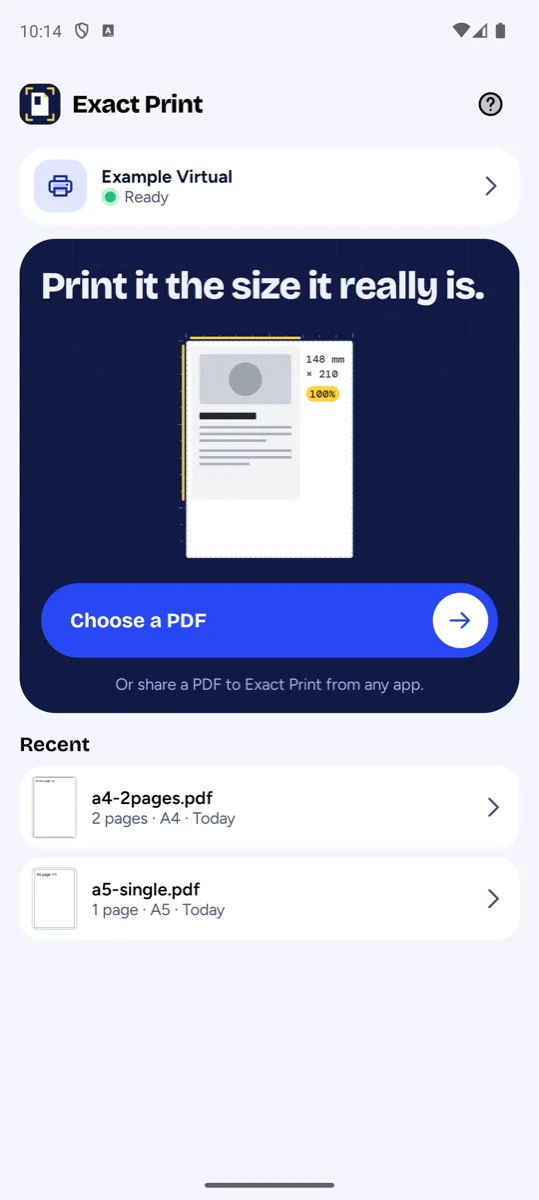
Print Vellum sends PDFs and images straight to a printer on your Wi-Fi. No cloud, no account, no ads.
What it does
Find your printer
Printers on your Wi-Fi are discovered automatically. No drivers, no vendor app.
PDFs and images
Open a PDF or a photo (JPEG, PNG, WebP, HEIC) from the file picker, or share it from any app.
Control the page
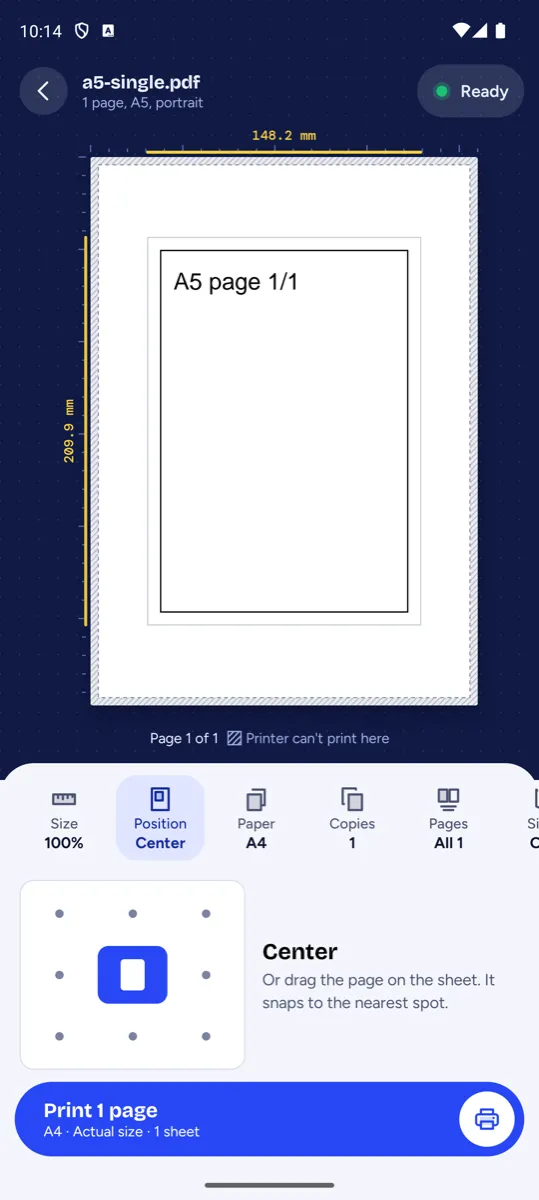
Paper size, orientation, page ranges and copies. Print at actual size, fit to page, or any scale you choose.
Place it exactly
Pick a position on the sheet or drag the page in the preview, with the unprintable margin marked.
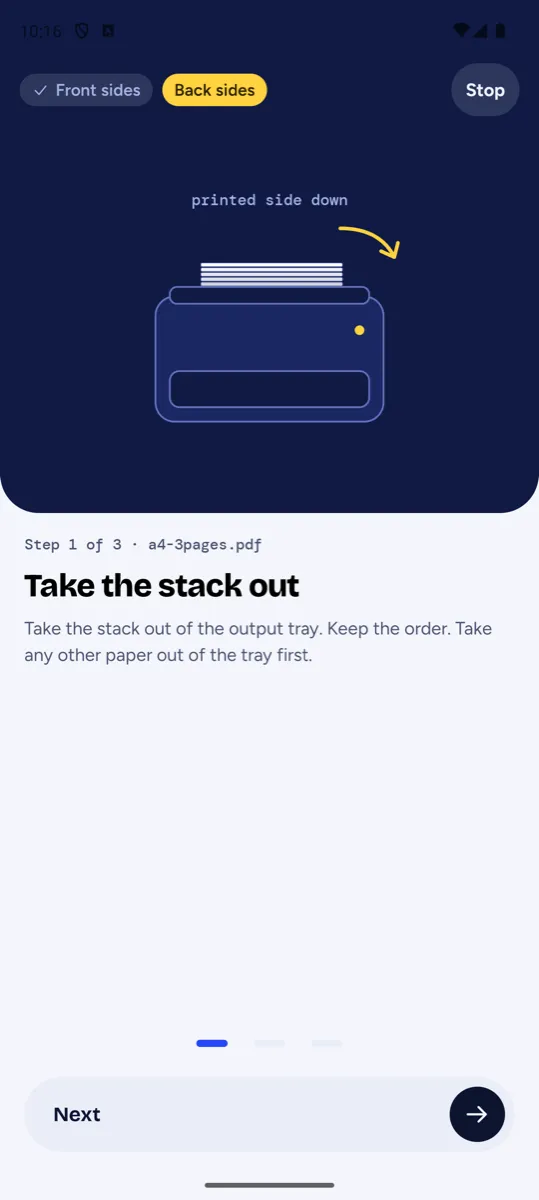
Two-sided, guided
Prints one side, waits while you reload the paper, then prints the other.
Prints in the background
Progress notification with a Cancel button, even when the screen is off.
A look inside
How it works
Most phone printing goes through a manufacturer's app, a cloud service or Android's print dialog. Print Vellum talks directly to your printer over IPP (Internet Printing Protocol), the standard that most modern network printers speak. The app prepares each page on your phone and sends it over your local network to the printer you chose.
That is why it needs no account and has nothing to sign in to: your documents never touch a server of ours. Read the privacy policy for the full detail.
Compatibility
Print Vellum is designed to work with most modern network printers that support IPP printing. Printer support is still growing — if yours behaves oddly, tell us and we'll look into it.